Ugreen
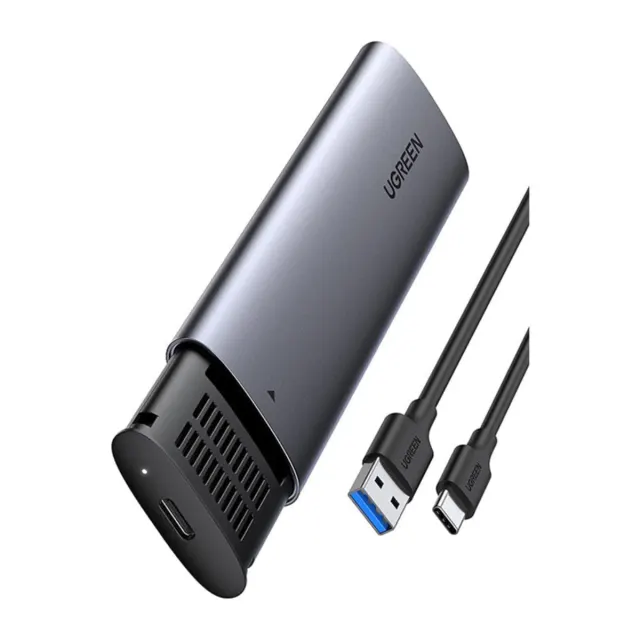
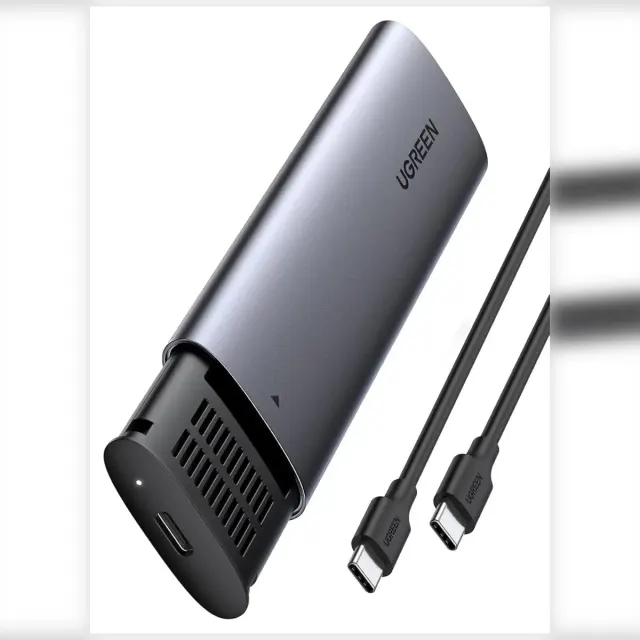
UGREEN M.2 NVMe SSD Enclosure, USB-C 3.2 Gen 2 10Gbps, Supports 2230/2242/2260/2280 Drives for External Storage
- Same or next-day delivery, from Ksh 200
- Free collection in Westlands
- M-Pesa or cash
Delivery or collection
Same-day or next-day delivery, depending on your location. Delivery fees start from KES 200, depending on your location. Pay by M-Pesa Paybill, or in cash at our Westlands shop.
Or see it in person and buy over the counter at our Westlands shop — Woodvale Centre, Shops ML 46-48, Woodvale Grove, Westlands, opposite Westlands Market. Directions & opening hours →
Product Description Click to view
UGREEN M.2 NVMe SSD Enclosure, USB-C 3.2 Gen 2 10Gbps, Supports 2230/2242/2260/2280 Drives for External Storage
Product Description
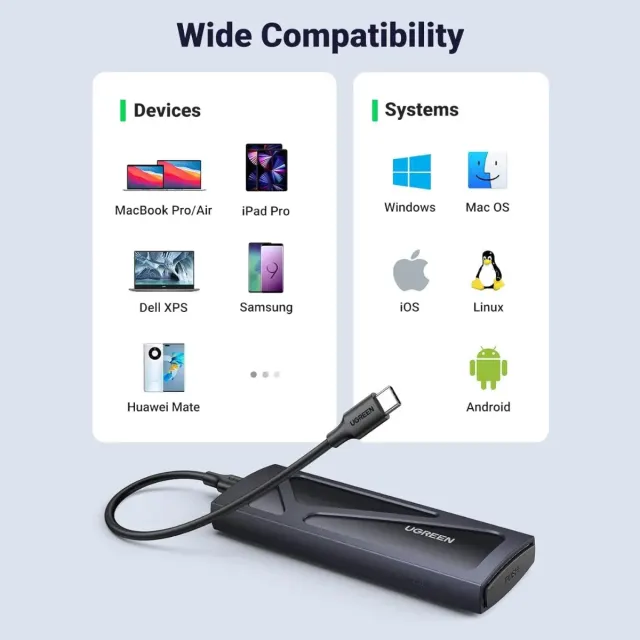
The UGREEN CM302 is an M.2 NVMe SSD enclosure with a USB-C 3.2 Gen 2 interface at 10Gbps. It takes NVMe drives in 2230, 2242, 2260 and 2280 sizes, turning a spare SSD into a fast external drive.
A spare drive in a drawer, or a laptop drive you need to read on another computer, is useless without the right case or adapter. The UGREEN CM302 M.2 SSD enclosure lets a compatible drive connect to a USB port at up to 10Gbps listed. Drive sold separately. It is made for people with a spare SSD or hard drive, and technicians who copy or recover drives.
Key Features and Benefits
- Data rate: Up to 10Gbps listed. Real speed also depends on the drive and the USB port.
- Several M.2 lengths: Fits 2230, 2242, 2260 and 2280 M.2 NVMe drives.
- NVMe SSD support: For M.2 NVMe (PCIe) SSDs.
- USB-C connection: USB-C connection.
- 10Gbps USB-C 3.2 Gen 2: fast enough for large file transfers from NVMe drives.
- Four drive sizes: 2230, 2242, 2260 and 2280, so it fits most M.2 NVMe SSDs.
- For NVMe: designed for NVMe PCIe SSDs, not SATA M.2.
- External storage: use an old laptop SSD as a portable drive.
Made for Life in Nairobi and Across Kenya
Reuse a spare laptop drive as portable backup storage, carry large video projects between the office in Nairobi and a client site, or read an old drive on a laptop without a SATA slot.
Buying and Setup Tips
- Check your drive type and size first: SATA or NVMe, 2.5-inch, 3.5-inch or M.2.
- Use a USB port that matches the speed you want from the drive.
- Back up important data before moving or formatting a drive.
- To reach 10Gbps you need a USB 3.2 Gen 2 port and cable.
- Make sure your SSD is NVMe, not SATA.
Who It's Perfect For
- Designers, editors and photographers
- Office users who need extra storage
- IT technicians and data-recovery staff
- Anyone reusing old drives
Specifications at a Glance
- Brand: UGREEN
- Model: CM302
- Product type: M.2 SSD enclosure
- Data rate: 10Gbps
- Interface: USB-C 3.2 Gen 2 (10Gbps)
- Drive type: M.2 NVMe
- Drive sizes: 2230 / 2242 / 2260 / 2280
- Reference: UGREEN M.2 NVMe PCIE SSD Enclosure-USB C 3.2 Gen 2 (10 Gbps) Supports 2230/2242 /2260/2280 NVME SSDs - CM302
Frequently Asked Questions
Is the drive included?
No, the drive is sold separately.
How do I know which one I need?
Look at the drive label: SATA 2.5-inch, SATA 3.5-inch, M.2 SATA (NGFF) and M.2 NVMe each need a different product.
Does it work with SATA M.2?
No, it is for NVMe.
Which sizes?
2230, 2242, 2260 and 2280.
Will it hit 10Gbps on any port?
Only on a 10Gbps USB port with the right cable.
Genuine UGREEN quality, ready for external storage (model CM302). A dependable choice for customers in Nairobi and across Kenya.