Ugreen
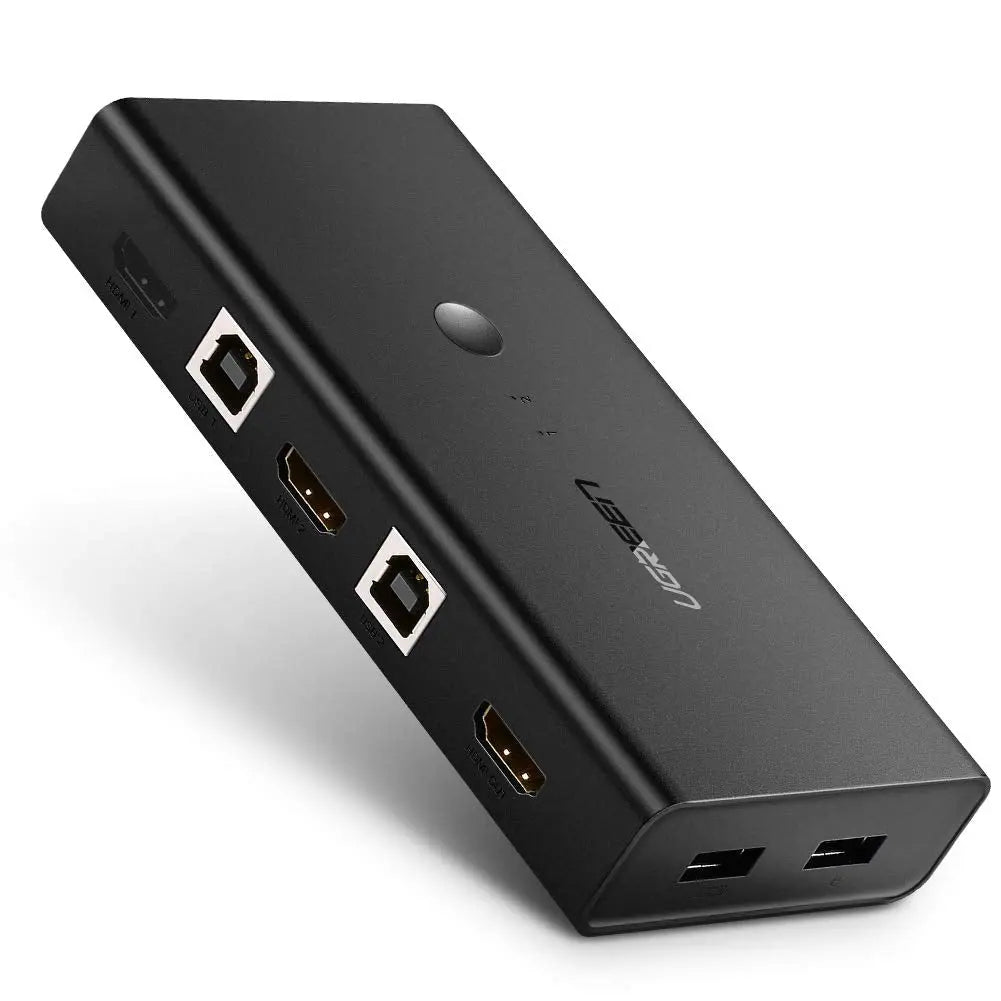
UGREEN HDMI Switch Box 2 In 1 Out KVM Switching
- Same or next-day delivery, from Ksh 200
- Free collection in Westlands
- M-Pesa or cash
Delivery or collection
Same-day or next-day delivery, depending on your location. Delivery fees start from KES 200, depending on your location. Pay by M-Pesa Paybill, or in cash at our Westlands shop.
Or see it in person and buy over the counter at our Westlands shop — Woodvale Centre, Shops ML 46-48, Woodvale Grove, Westlands, opposite Westlands Market. Directions & opening hours →
Product Description Click to view
UGREEN HDMI Switch Box 2 In 1 Out KVM Switching
Product Description
The UGREEN CM200 HDMI switch box shares one HDMI display between two sources, with KVM switching in the name. It suits a desk with two computers and one monitor.
A TV or monitor with one HDMI port means unplugging cables every time you switch devices, and one source cannot feed two screens without help. The UGREEN CM200 HDMI KVM switch lets you switch between sources on one screen. It is made for homes, shops and offices that have more HDMI devices than HDMI ports.
Key Features and Benefits
- Several sources, one screen: Choose which device appears on the screen without re-plugging cables.
- Shared keyboard and mouse: Control two computers with one keyboard, mouse and display.
- Two in, one out: two HDMI sources, one display.
- KVM switching: share peripherals between the two computers per the name.
- Switch box: change source with one action.
Made for Life in Nairobi and Across Kenya
Show the same football match on two TVs in a shop, switch between a decoder, console and laptop on one TV in a Nairobi flat, or run one computer picture to several screens.
Buying and Setup Tips
- Count the sources and screens you need and match them to the number of inputs and outputs.
- Check the maximum resolution listed and whether your devices need it.
- Use HDMI cables of suitable quality on every connection.
- Check what peripheral connections the KVM function covers before relying on it.
- A switch box is useful on a small desk, for example one monitor shared by a work laptop and a personal PC.
- You choose which computer is on screen without swapping cables behind the display.
- Use standard HDMI cables on both inputs and the output.
Who It's Perfect For
- Homes with decoder, console and laptop
- Shops and restaurants with several screens
- Offices and training rooms
- Gamers
Specifications at a Glance
- Brand: UGREEN
- Model: CM200
- Product type: HDMI KVM switch
- Port layout: 2-in-1
- Inputs: 2 × HDMI female and 2 × USB-B host ports
- Outputs: 1 × HDMI female; 2 × USB 2.0 Type-A; 2 × USB 1.1 Type-A keyboard/mouse ports
- Topology: 2-computer / 1-monitor HDMI KVM
- Video inputs: 2 × HDMI
- Host data inputs: 2 × USB-B 2.0
- Shared USB outputs: 2 × USB 2.0 + 2 × USB 1.1 Type-A
- Listed maximum: 4K@30Hz
- Switching: Button + keyboard hotkey
- Type: HDMI switch box, 2 in 1 out, KVM
- Reference: UGREEN HDMI Switch Box 2 In 1 Out KVM Switching - CM200
Frequently Asked Questions
Can I use it with a decoder and a console?
Yes, any HDMI device can be connected to an input, up to the number of inputs.
Do I need a power supply?
Some units are powered through the connection and some need a power supply; check the product box.
Genuine UGREEN quality, ready for sharing screens and sources (model CM200). A dependable choice for customers in Nairobi and across Kenya.